1. 단축키 R 박스 크기 280*390 radius 20px 사각형 그리기
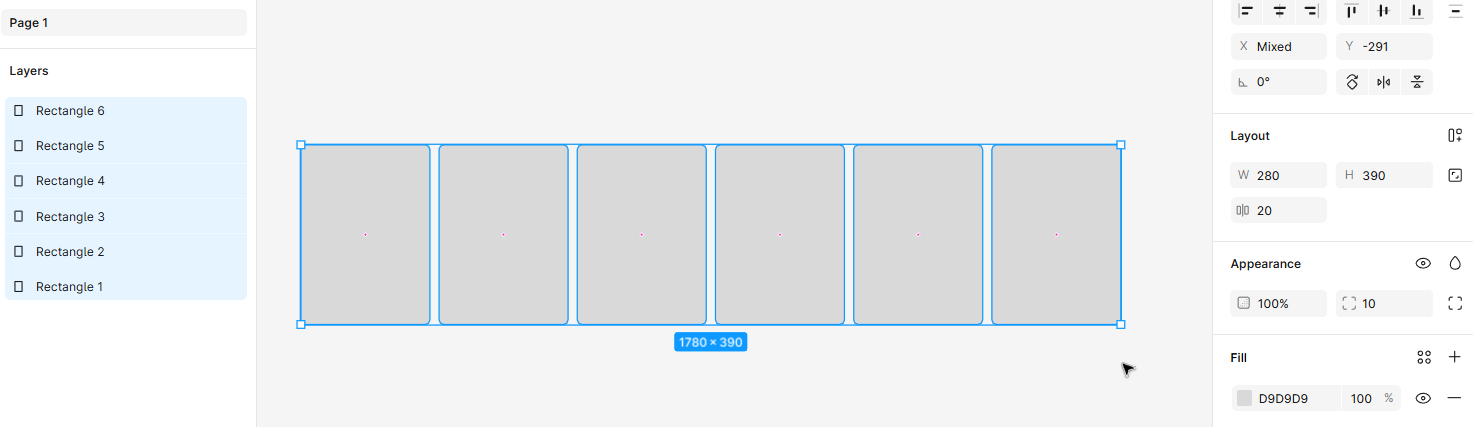
2. 전체 박스 선택 후 auto layout (shift + a)
3. 전체 박스 선택 된 상태에서 plug in - unsplash 검색 후 이미지 넣기

4. 전체 선택된 상태에서 ctrl + c, ctrl + v
5. 복사된 요소들 모두 선택 후 ctrl + alt + G
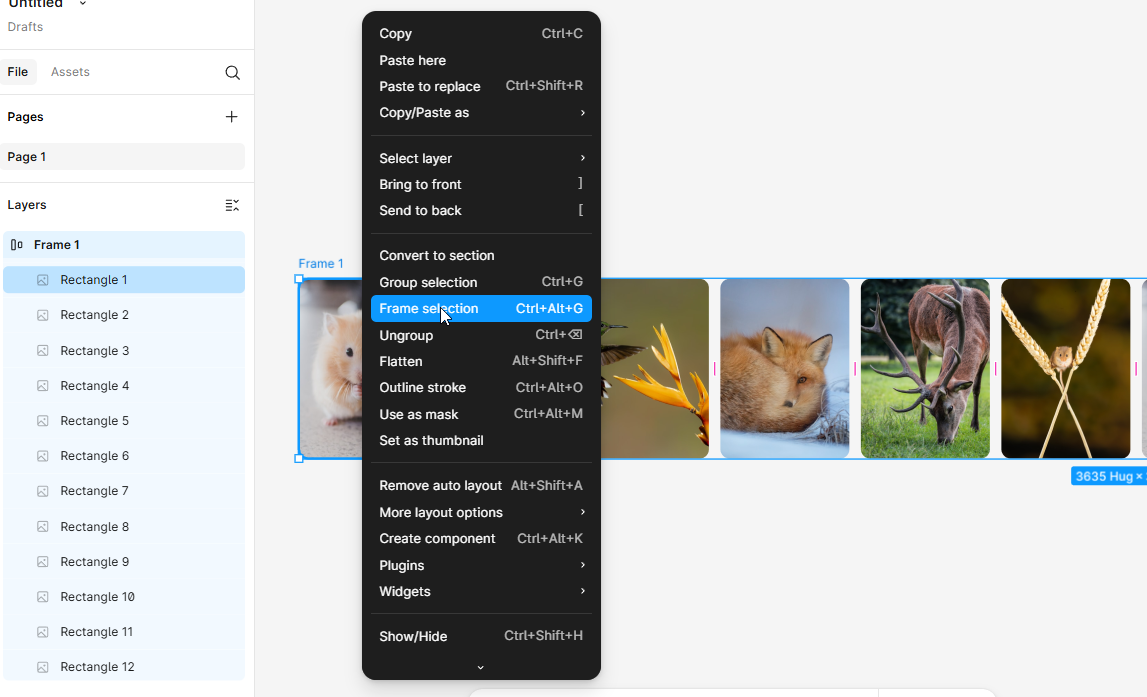
6. 프레임 크기 1440px , Clip content 체크해보기
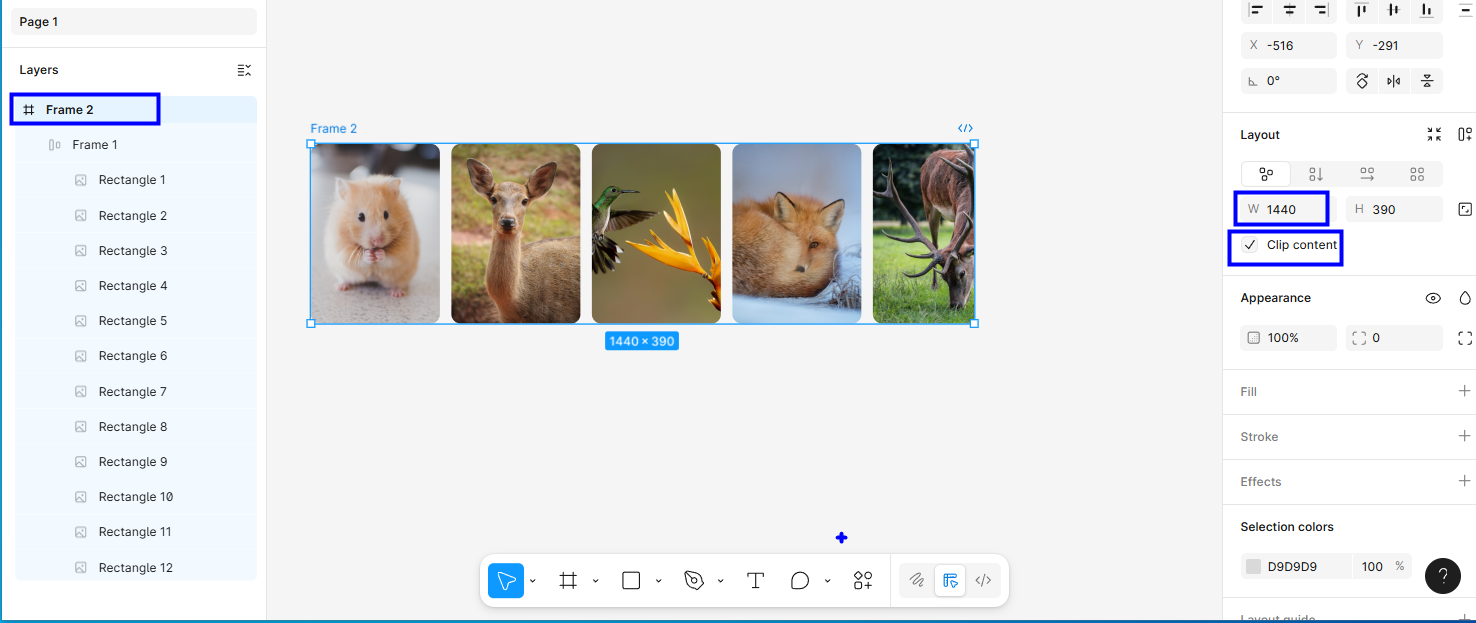
7. Frame2 복사 후
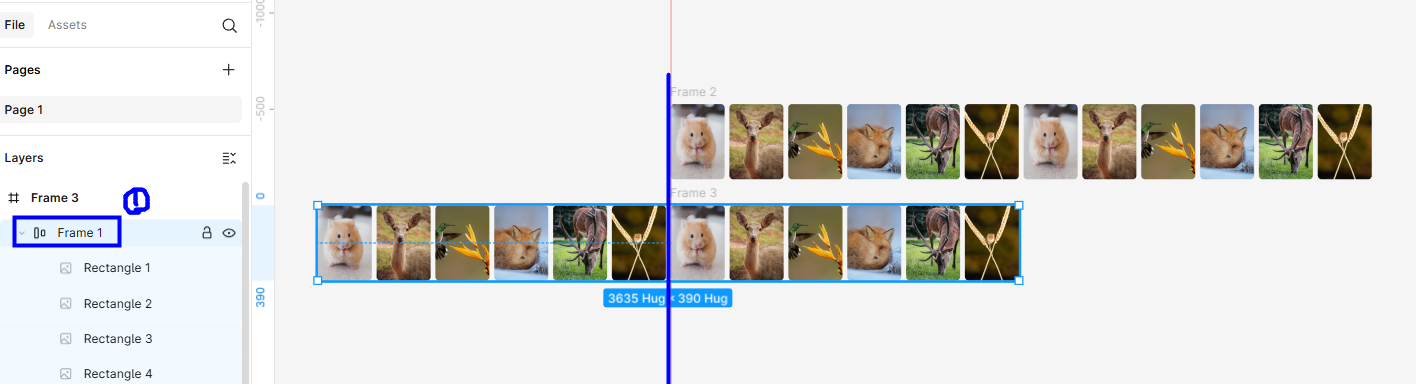
8. Frame3 의 Frame1 선택 후 같은 이미지가 보일 수 있도록 정렬(clip content 체크 해제후 하면 다 보여요)
(복제된 요소의 첫번째 카드를 시작지점으로 이동하여 첫번째 원래 카드와 동일한 위치에 있도록 배치)
9. 두개의 Frame (Frame2, Frame3)선택 후 component set
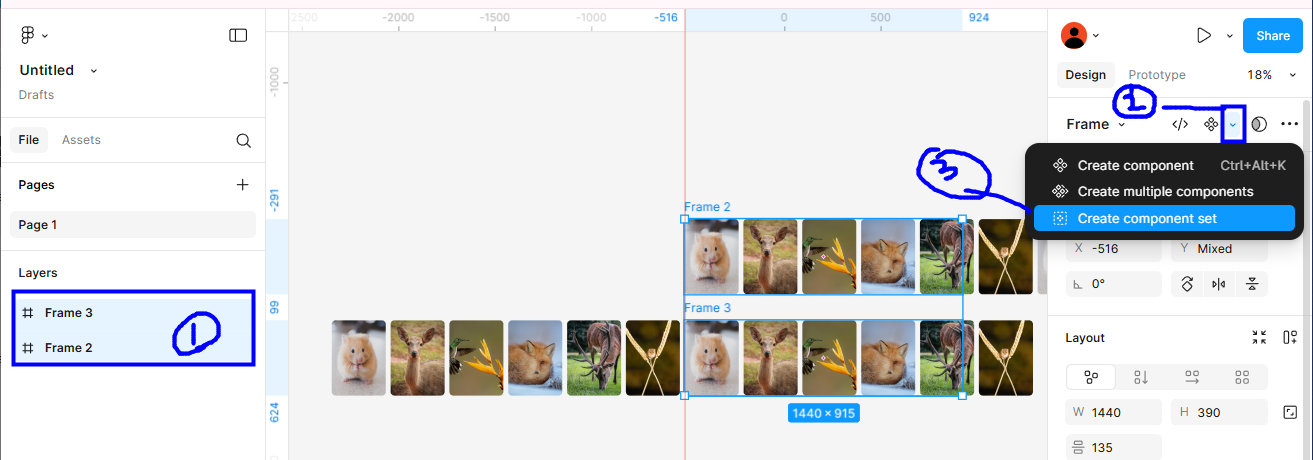
10. 오른쪽 상단 Prototype 선택 후 아래 처럼
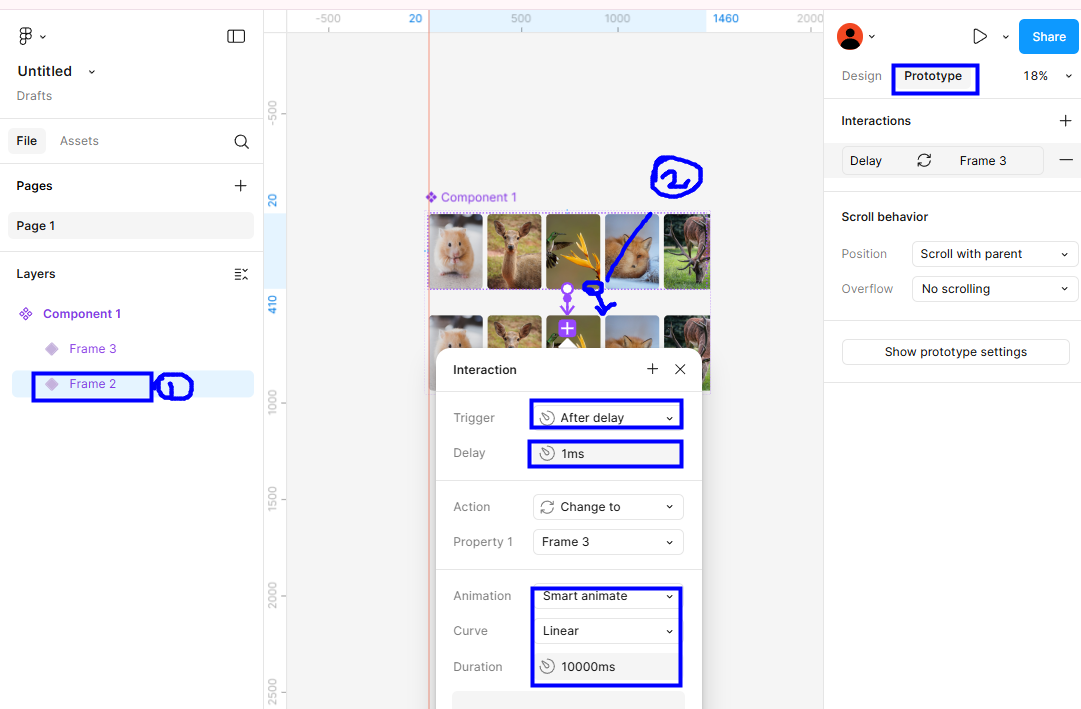
11. Frame3 선택 후 2번의 + 를 Frame2 로 연결
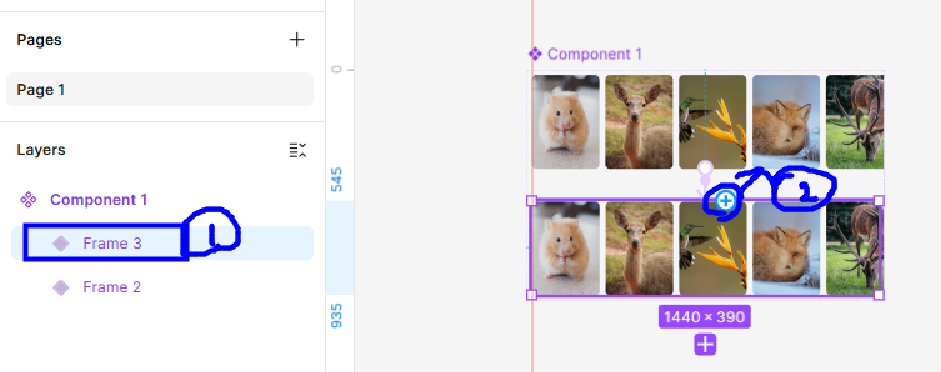
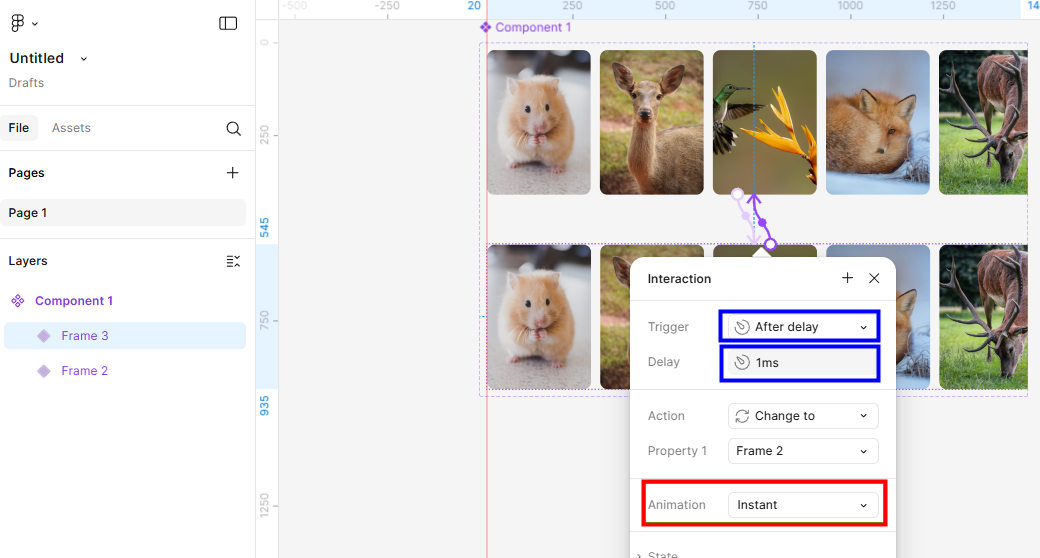
12. 새로운 프레임(F) 열고 desktop 선택 후 asset 에서 가져오기
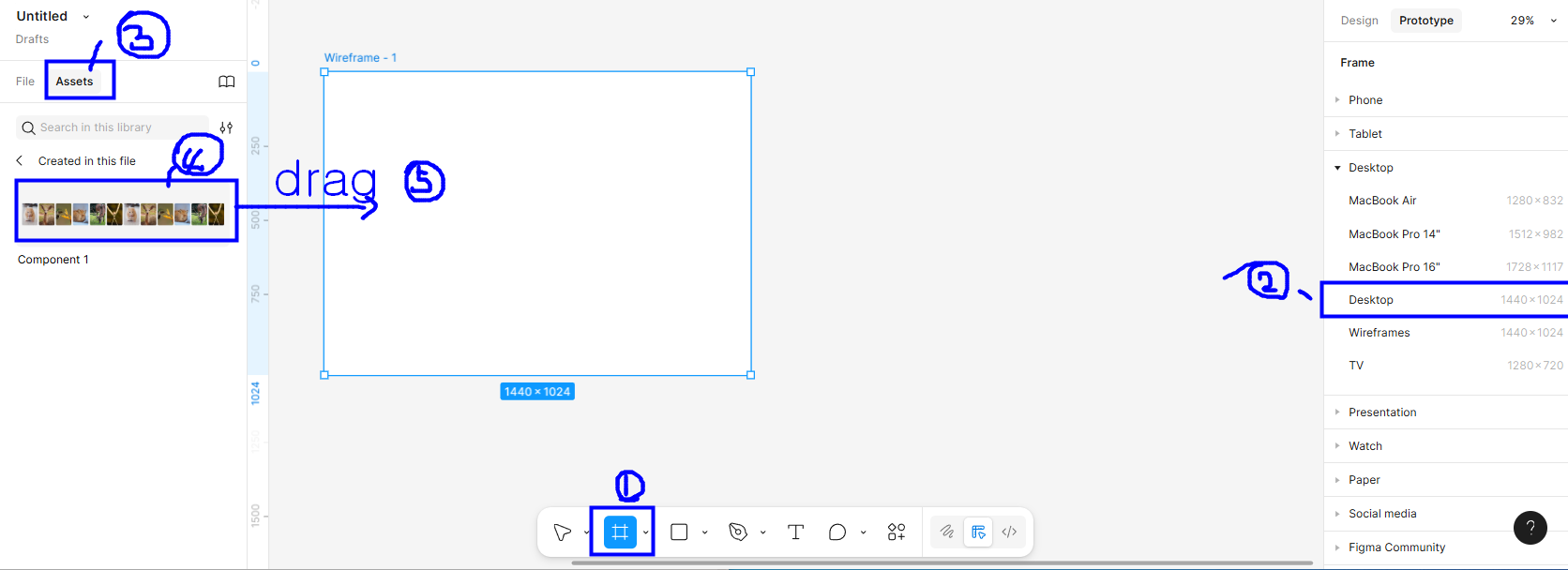
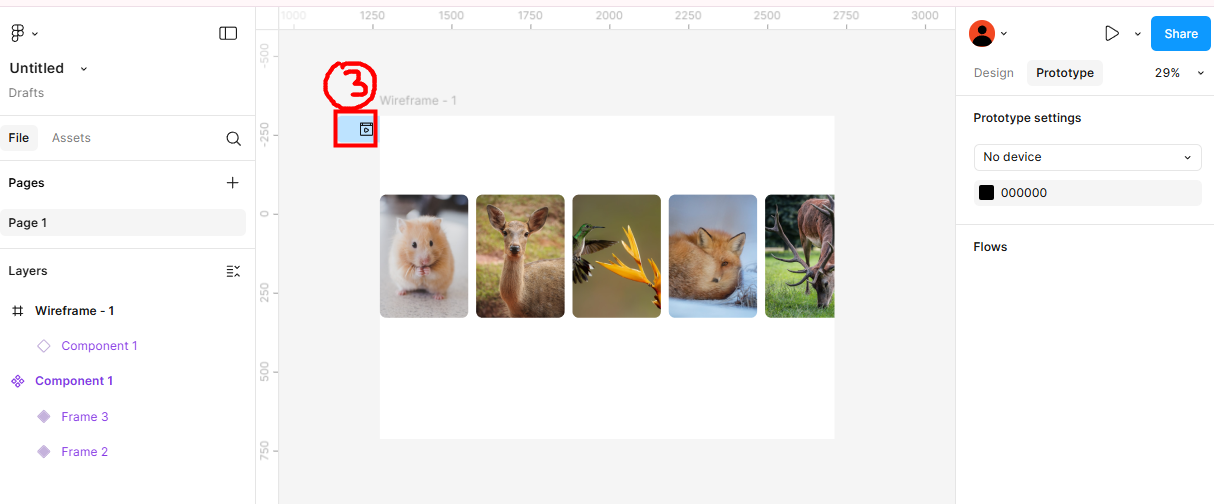
13. test 해보기

Figma
Created with Figma
www.figma.com
스크롤링이 되지 않을 경우 오른쪽 하단 restart 를 눌러주세요
'figma' 카테고리의 다른 글
| 컴포넌트와 인스턴스 만들고 Detach 하기 (0) | 2025.04.29 |
|---|---|
| 드롭다운 메뉴 (0) | 2025.01.02 |
| figma - variables 로 breakpoint 설정하기 (0) | 2024.11.15 |
| 벤토그리드 활용하여 디자인하기 (0) | 2024.11.13 |
| 피그마 학생인증 (0) | 2024.11.13 |